Year 10 Media Literacy Worksheets (Printable PDFs)
Printable Year 10 media literacy worksheets from ZiloAcademy, covering evaluating bias, reliability and persuasive techniques in media. Aligned with the Australian Curriculum (Version 9.0).
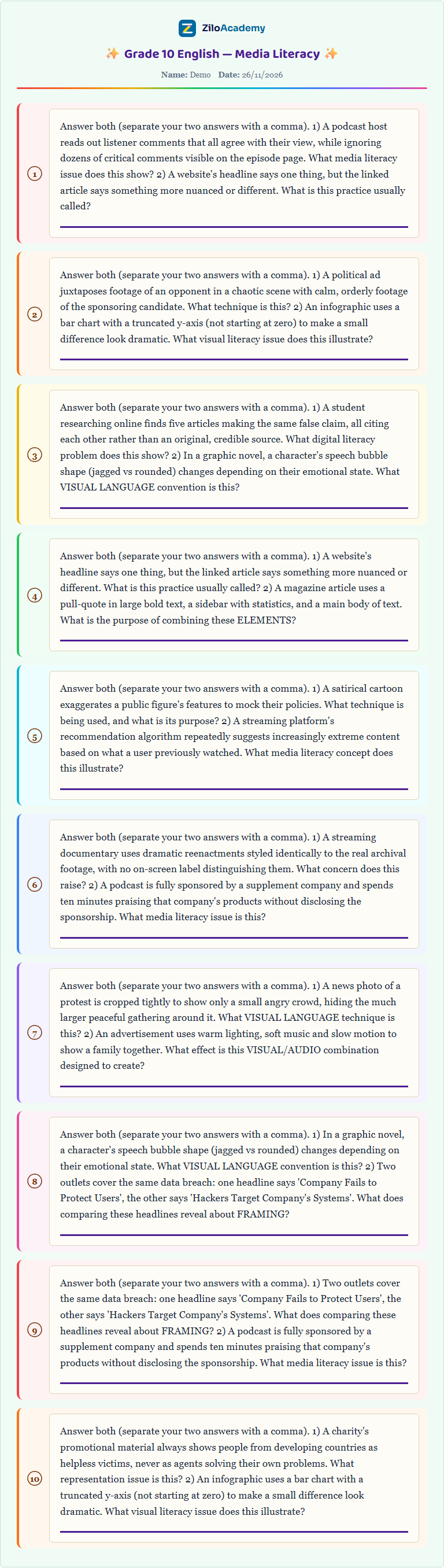
👆 This is what a real Year 10 Media Literacy Worksheets worksheet looks like
A real sample page — click the image to open the full worksheet and print it, with a fresh set of questions and an instant answer key.
👁️ View & Print This Worksheet →What Will Your Child Learn?
Year 10 media literacy worksheets build critically evaluating a media text for bias, reliability and the persuasive techniques used to shape audience opinion, applying this directly to real news articles, advertisements and social media content. Worksheets include comparing how two different outlets report the identical event with noticeably different framing.
Why Media Literacy Matters
Comparing how two outlets report the same event with different framing makes media bias concrete and visible, rather than an abstract warning to "watch out for bias" with no real example attached.
Genuine media literacy is an essential, practical life skill well beyond English class — critically evaluating the reliability of what's read and shared online matters throughout adult life, not just at school.
How to Print the Worksheets
- Select the worksheet you want and open its printable view.
- Press Ctrl+P (Windows) or Cmd+P (Mac), or use your browser's Print option.
- In the print preview, choose A4 paper size.
- Set the layout to Portrait (most worksheets) or Landscape if the sheet is wide.
- Check the print preview to make sure nothing is cut off — adjust "Scale" or "Fit to page" if it is.
- Turn on "Black and white" or "Grayscale" in printer settings to save colour ink.
- Click Print — or choose "Save as PDF" as the destination to keep a digital copy instead.
Works the same way whether you're printing from Chrome, Edge or Safari, on a desktop, laptop or tablet. Full details, including printing from a phone and fixing content that's cut off, are in our complete guide to printing worksheets at home.
Tips for Parents
- Compare how two different news outlets report the identical event, noticing framing differences
- Discuss persuasive techniques noticed in real advertisements or social media content together
- Ask "who benefits from me believing this?" as a genuine critical media literacy habit
- Check a surprising claim against a second, independent source before accepting it
Frequently Asked Questions
📚 Helpful Guides for Parents
Get more out of every worksheet with practical tips from the Zilo Academy blog — study routines, NAPLAN advice and ways to support your child’s learning at home.