Year 8 Sentence Improvement Worksheets (Printable PDFs)
Printable Year 8 sentence improvement worksheets from ZiloAcademy, covering revising weak sentences for clarity and precision. Aligned with the Australian Curriculum (Version 9.0).
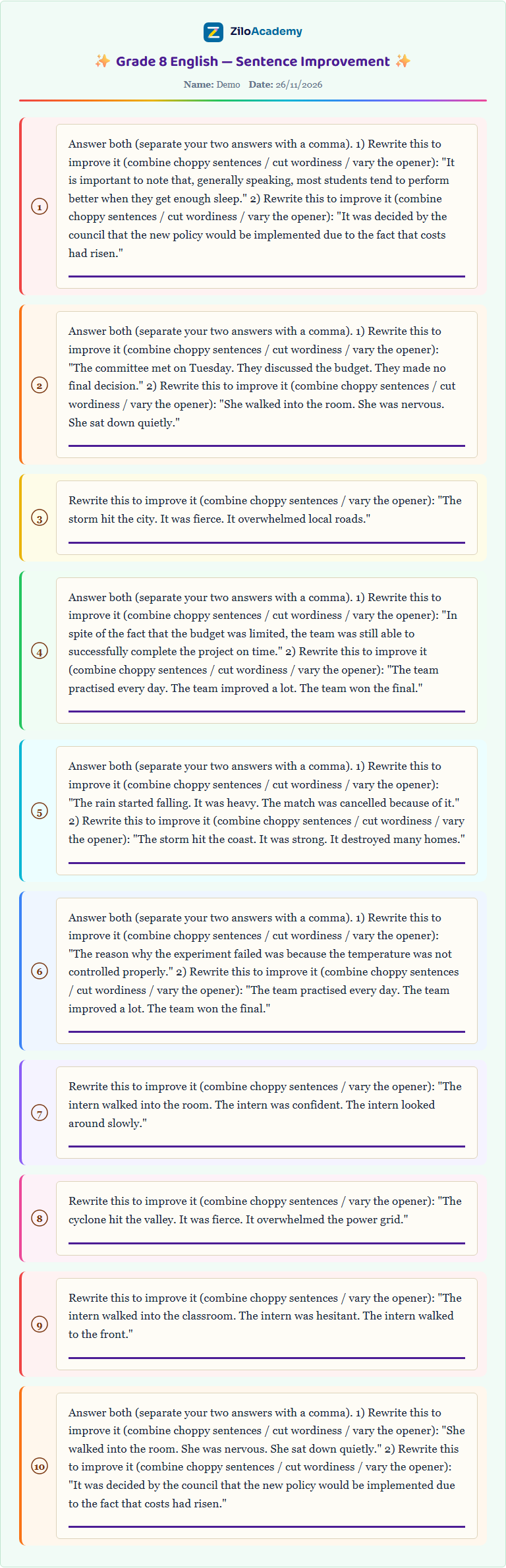
👆 This is what a real Year 8 Sentence Improvement Worksheets worksheet looks like
A real sample page — click the image to open the full worksheet and print it, with a fresh set of questions and an instant answer key.
👁️ View & Print This Worksheet →What Will Your Child Learn?
Year 8 sentence improvement worksheets build identifying specific weaknesses in a sentence — vagueness, wordiness, awkward structure, weak verb choice — and revising it into a clearer, more precise version. Worksheets include before-and-after comparison, making the specific improvement visible and explainable.
Why Sentence Improvement Matters
Being able to name a sentence's specific weakness, not just sense that "something feels off," is what makes editing a genuinely learnable, repeatable skill rather than a vague instinct that's hard to apply consistently to new writing.
This topic directly supports the editing and revising stage of a student's own writing process, giving them a concrete toolkit of specific things to check for, rather than a single read-through hoping to spot problems generally.
How to Print the Worksheets
- Select the worksheet you want and open its printable view.
- Press Ctrl+P (Windows) or Cmd+P (Mac), or use your browser's Print option.
- In the print preview, choose A4 paper size.
- Set the layout to Portrait (most worksheets) or Landscape if the sheet is wide.
- Check the print preview to make sure nothing is cut off — adjust "Scale" or "Fit to page" if it is.
- Turn on "Black and white" or "Grayscale" in printer settings to save colour ink.
- Click Print — or choose "Save as PDF" as the destination to keep a digital copy instead.
Works the same way whether you're printing from Chrome, Edge or Safari, on a desktop, laptop or tablet. Full details, including printing from a phone and fixing content that's cut off, are in our complete guide to printing worksheets at home.
Tips for Parents
- Practise naming a sentence's specific weakness (vague, wordy, weak verb) before attempting to fix it
- Compare a weak sentence against its improved version, discussing exactly what changed and why
- Apply sentence improvement directly to your child's own writing during editing, not just worksheet exercises
- Build a checklist of common weaknesses to look for during a dedicated editing pass
Frequently Asked Questions
📚 Helpful Guides for Parents
Get more out of every worksheet with practical tips from the Zilo Academy blog — study routines, NAPLAN advice and ways to support your child’s learning at home.